Conceptual product view · not a software screenshot
ConnectivityContextEngineering
BACnet+ for Ignition
Building data. Alarms. History. Schedules.
Choose BACnet/IP or BACnet Secure Connect for the network your application needs.
Connectivity / Ignition
BACnet+ IP
BACnet+ IP by Relatech-CXS brings BACnet/IP building systems into Ignition with native integration for data acquisition, alarms, history, and scheduling. BACnet device alarms feed directly into Ignition’s alarm system, including acknowledgements, while the historian provider imports device TrendLog records with their original timestamps. Change-of-Value subscriptions and multiple-property reads support efficient data acquisition, with configuration and deployment managed within Ignition. Build applications that use the operational capabilities of your building systems—from live equipment values to device alarms and recorded history.
BACnet+ SC by Relatech-CXS brings BACnet Secure Connect building systems into Ignition through encrypted, certificate-based communication, with native integration for data acquisition, alarms, history, and scheduling. BACnet device alarms feed directly into Ignition’s alarm system, including acknowledgements, while the historian provider imports device TrendLog records with their original timestamps. Change-of-Value subscriptions and multiple-property reads support efficient data acquisition, with configuration and deployment managed within Ignition. Build applications around secure building connectivity while retaining access to equipment values, device alarms, schedules, and recorded history.
Start with the information you need, the system it comes from and the application it must serve.
01
Connect the equipment
Work with the devices and objects exposed by your BACnet network.
02
Use more of the context
Use native alarm acknowledgements, original-timestamp TrendLog history and BACnet scheduling in your Ignition application.
03
Choose the right integration
Discuss the Ignition integration or OPC interface that fits your existing platform.
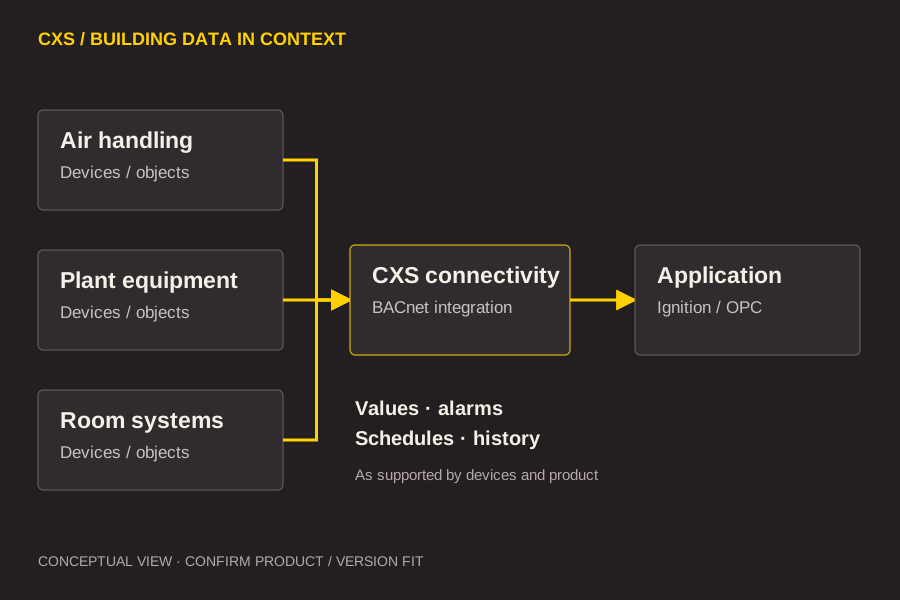
How the pieces relate
A clear path from source to use.
Use this relationship to frame the technical discussion. Exact module placement and capabilities depend on the selected product and version.
Conceptual relationship · confirm product, version and deployment requirements.
In application
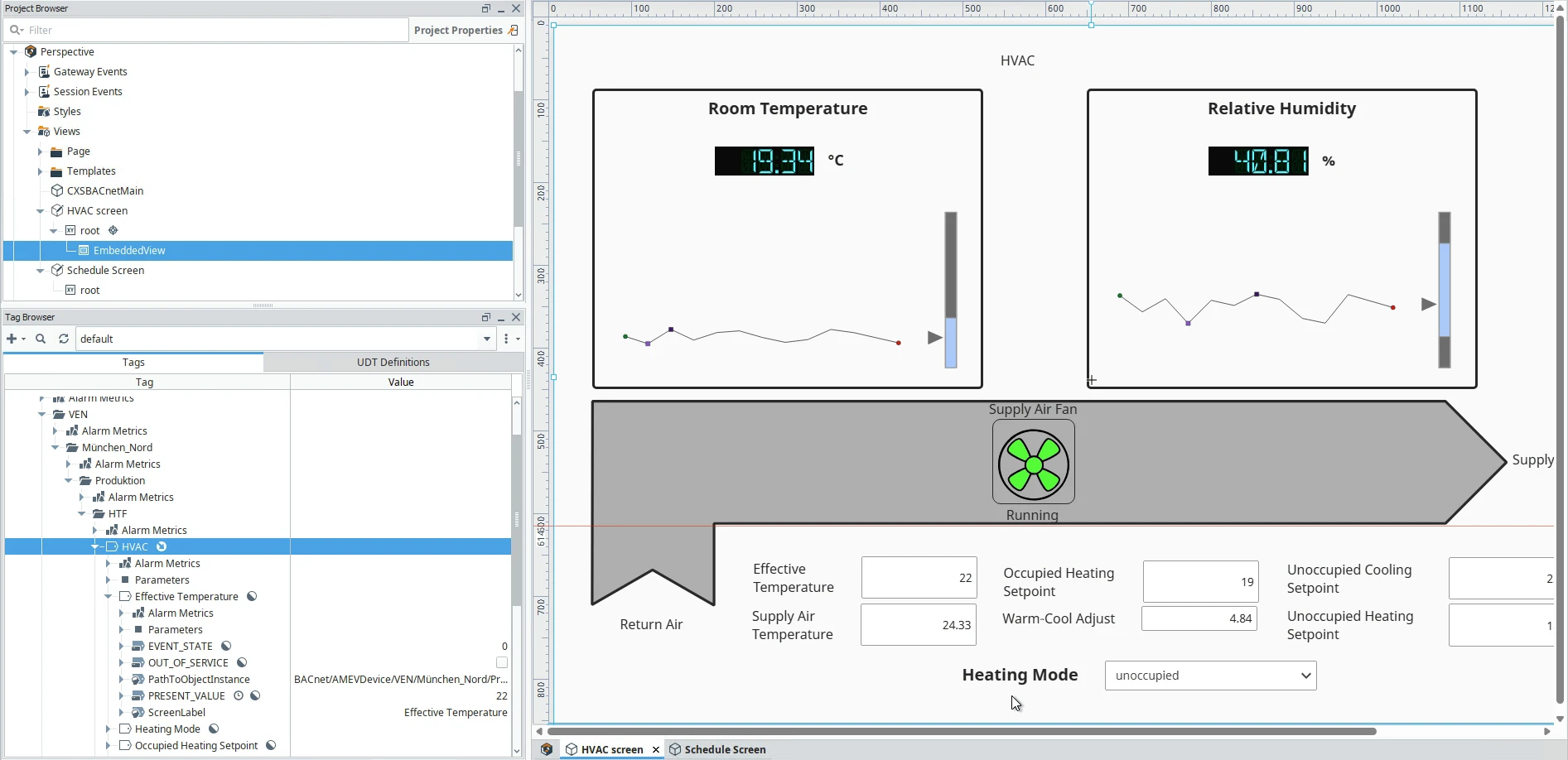
The connection is the beginning.
A building application needs more than a list of values. Pair connectivity with an equipment structure that engineers can understand, review and maintain.
Existing CXS demonstration; illustrates application context, not proof of every product feature.
Before you specify
Resolve the details that matter.
Use these questions to shape a focused technical evaluation.
Data acquisition
Change-of-Value subscriptions and multiple-property reads support efficient data acquisition. Configure and deploy the integration within Ignition.
Alarms and history
BACnet device alarms feed into Ignition’s alarm system, including acknowledgements. The historian provider imports TrendLog records with their original timestamps.
Secure connectivity and compatibility
Choose BACnet+ IP for BACnet/IP networks or BACnet+ SC for encrypted, certificate-based BACnet Secure Connect communication. Confirm network requirements and the supported release for your project.